Tickler
A plugin for Paperclip that puts every organization you run on one page, with a single queue of what needs you, sorted by when you have to decide.
Install: Settings → Plugins → Install Plugin → paperclip-plugin-tickler. A Tickler button appears in the top bar. Not zero setup — you still have to paste the name — but close enough that I’ll take the win.
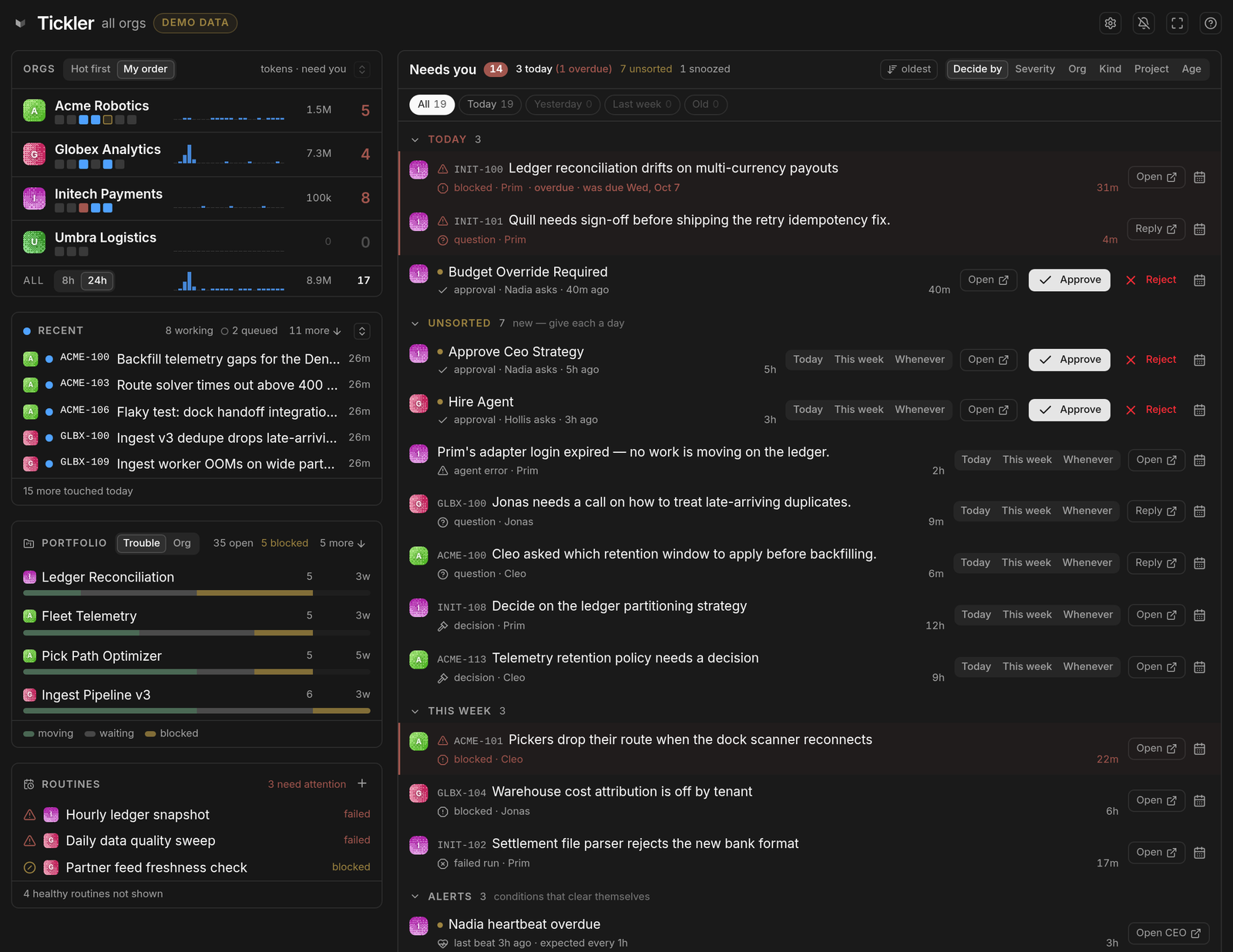
What it is
Paperclip is an open-source control plane for running agents as a company — roles, budgets, issues, heartbeats — and a single deployment runs many companies with complete isolation between them. That isolation is correct for the agents. Company A’s agents have no business seeing company B. But the operator is not an agent. The operator is the one person all those companies have in common, and the product opens you inside one of them with a switcher for the rest.
Tickler is the missing floor. It belongs to no company, sits above the boundary, and answers one question: what needs me, across every org, right now?
It is a third-party plugin, not a Paperclip feature and not an official Paperclip project. It’s UI-only — it never modifies Paperclip itself, so upgrades don’t break it.
What it does
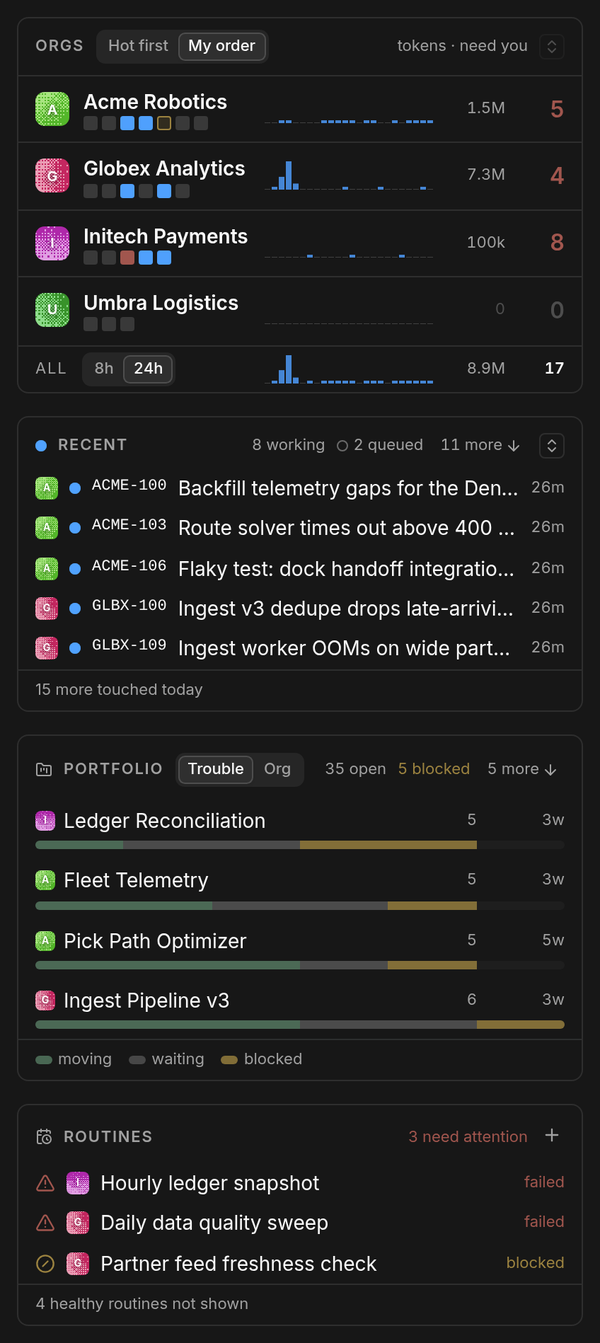
Every org on one line. Who’s working, a bar per hour of tokens spent, and the count of things waiting on you. That last column is the one no tool shows and the one that should decide where you go next. The token bars share one scale, so the org quietly burning through its budget at 3 a.m. stands out at a glance.
Answer in place. Approve, reject, reply, or pick an option on an agent’s question right on the queue row. You don’t open the item, you don’t enter the company, you don’t lose your place. Reject takes two taps, because a rejected approval can’t be undone and on a phone it sits a thumb’s width from Open.
Routines you can fire from here. Broken routines surface on their own. Pin any other routine and it stays at the top of the pane with a ▶ that runs it — press twice — and links the issue the run made.
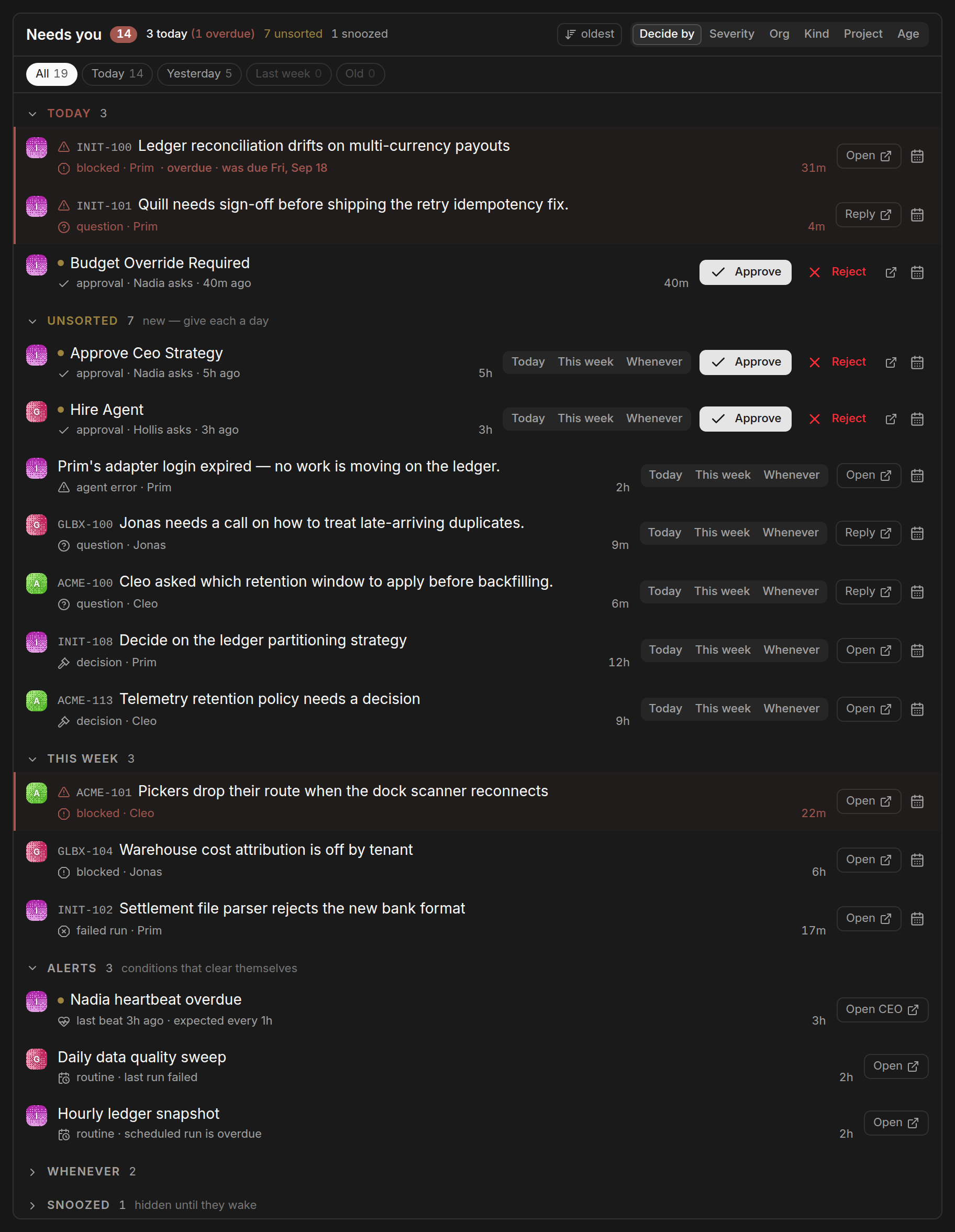
Decide by. Mark each item Today, This week or Whenever, and the queue sorts itself into those buckets. It writes through Paperclip’s own decision triage, so the dates show up inside Paperclip too — this isn’t a private layer of sticky notes.
Trouble surfaces itself. Blocked projects, stalled runs, failed routines and overdue heartbeats rise to the top on their own. So do runs that have outlived their agent’s time limit: Paperclip has given up on those, nothing will ever close them, and they hold the agent’s run slot until somebody notices. Hovering an agent or a task shows its live narration, so “what is this thing actually doing” is a mouse move rather than four clicks.
Demo mode. ?demo=1 swaps in invented orgs, which is how every screenshot on this page was taken.
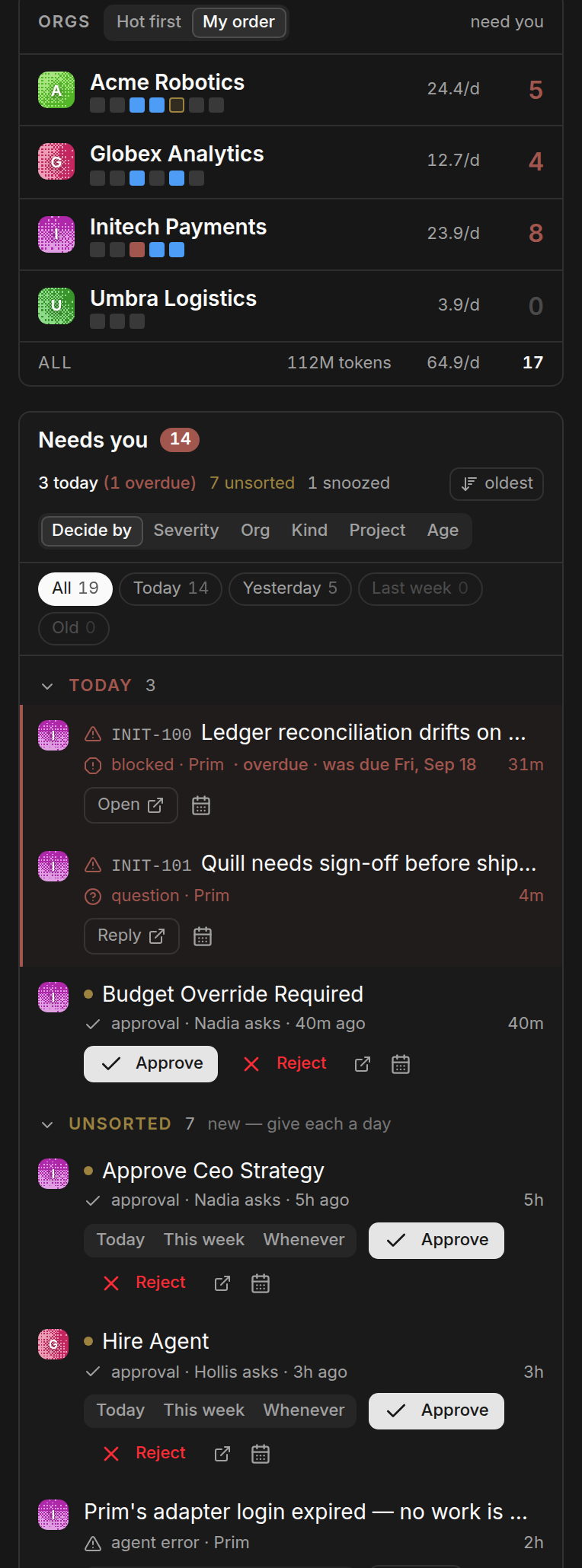
It works on a phone, which matters more than it sounds: the moment you most need to know what’s waiting is usually the moment you’re not at the desk.
How it got here
The problem came long before the plugin. I’d been circling it for years: the cost of crossing between organizations, and the fact that no tool ever absorbs it for you. Paperclip was the first place one person natively owns several organizations, so it was the first place the fix could actually be built.
The prototype shipped as Plica, Latin for “fold”. Nice idea. Nobody could guess what it meant. Version 0.7.0, shipped 27 September 2026, renamed everything — npm package, plugin id, route, CSS classes, repo — to Tickler. A tickler file is the office system that predates all of this: an accordion of dated folders whose only job is to bring a thing back in front of you on the day it needs you. That’s exactly what the decide-by queue does. The rename itself turned into a story about Latin roots and find-and-replace, told in name it after the paper.
If you were running Plica, uninstall it and install Tickler. Paperclip identifies plugins by id, so a new id is a new plugin, and you’ll need to re-enter your token thresholds. With an install base that small, a clean break beat a migration layer.
Three weeks out
Thirty-four releases in the three weeks since the rename, which is what happens when the thing you built is the thing you use all day.
npm counts about 4,700 downloads since launch, a little over 3,000 of them in the week of 5 October. I’d take both numbers with salt. A download is an npm install, not a person, and Tickler has an update button that runs one every time somebody takes a new version — so shipping 34 releases inflates the count all by itself. The better signal is quieter: somebody I’ve never met has been filing issues on the repo, and four of the releases since are things they reported or asked for.
A few of the releases I’d point at:
- It updates itself, and it can undo that. 0.8.0 added an update button, because Paperclip’s Plugin Manager has none, and uninstalling to upgrade throws away the plugin’s config. 0.14.3 made the button wait until npm can actually serve the new version — for about five minutes after a publish, npm lists it as latest and still 404s the tarball. 0.17.0 went further: Tickler remembers which versions drew the page without an error in your browser, and when a new one crashes, the crash notice offers Roll back to the last good one, reinstalled from npm in place.
- A crash costs only the part that broke. Before 0.15.1, any error took the whole page down to Paperclip’s catch-all, “failed to render”, with the reason buried in the console. Now one org with bad data loses only its own line, a failing pane loses only that pane, and each notice carries the error, a Try again, and a Report on GitHub that pre-fills the issue.
- You can hide an org without archiving it. 0.19.0. A hidden org is dropped before Tickler asks the server for anything, so it costs nothing, and it keeps running in Paperclip exactly as before.
- It admits what it is. 0.10.0 put a
?in the header saying Tickler is a community plugin, not an officially supported part of Paperclip. Somebody hitting a rough edge had no way to tell which of the two projects to be annoyed at, and the nearest obvious target was Paperclip’s issue tracker, where nobody who can fix Tickler is reading.
Most of the rest went into the left rail, which turned out to be the hardest thing in the plugin: a fixed height and four panes that each want more of it. The rail measures itself and hands each pane a header plus a whole number of rows, and Orgs or Recent can each be expanded at the cost of folding the panes beneath. Getting that to settle took more than one try. Twice the rail argued with itself until React gave up and stopped drawing the page. The better of the two: in full-screen mode, a pane’s header wrapped onto a second line, which changed the budget, which made its “+N more” chip disappear, which unwrapped the header, which brought the chip back.
The test I’d defend hardest is the least visible: a check:scroll sweep that drives the board at 32 window sizes in a real browser and fails any pane that offers a scrollbar while claiming to show everything. Two early releases went out with a pane scrolling over a single rounded pixel. Measuring with offsetHeight — an integer — against rows that are 28.297px tall will do that, and you cannot see it by looking.
Why it exists
I keep circling a thing I call the multi-organization problem: when your attention is split across several organizations, every crossing between them costs something, and almost no tool absorbs that cost for you. Every tool hands you a switcher — Slack’s workspace list, GitHub’s account menu, Chrome profiles — and a switcher assumes you already know where you’re going. Most of the time I don’t.
That’s also why a vendor will never build this for you: the vendor’s unit is the organization, and the problem lives between them. The argument is in a root to stand on; the ten-year version is the multi-organization problem.
Links
- npm: paperclip-plugin-tickler
- Source: nickallevato/paperclip-tickler
- Release notes for 0.19.1 · full changelog
- Questions and feature requests: the Tickler thread in the Paperclip Discord